


Prescription dispenser
Table of Contents
Sign up to our newsletter
From healthcare and retail to hospitality, businesses in various industries are reaping the benefits of digital signage. We discuss the ideal option between smart signage vs interactive displays below.
What are Smart Signage vs Interactive Displays?
Smart signage uses smart software platforms to update and manage content. While traditional static signage requires manual updates, interactive digital signage allows users to update content remotely. Some smart signage platforms can update kiosk content automatically.
Smart signage uses digital screens and multimedia content to communicate specific information. Businesses can add different types of multimedia content, such as text, videos, images, and reels.
Interactive displays have screens that allow users to touch and control content. They allow users to access, manipulate, or interact with the screen directly. It is a crossbreed between the traditional whiteboard and the computer. Users can draw or write across the screen using their fingers.
Standard interactive displays include interactive flat panels and curved and graphic monitors. Most work like giant smartphones or tablets and are common in schools, retail stores, restaurants, and offices. They respond to user actions, making them ideal for learning, exploring, and presenting information.
Differences Between Smart Signage and Interactive Displays

Smart signage mainly shows information or updates to users without the option to touch or control. It has software that makes it possible to update content remotely. Interactive displays have an app or software that responds to the user’s input. Displays have sensors that detect when a user touches them.
In smart signage, users can only look at the screen, without the option of touching or controlling it. It’s like watching a monitor or a digital poster showing information or ads. Users can touch, swipe, and write on the screen of interactive displays. They respond to actions like a giant tablet.
Hence, smart signage is for watching, while interactive displays are for using.
Smart signage is ideal for sharing information or updates, and where no interaction is necessary. Examples include ads, flight schedules, or restaurant menus, which are common in airports, hotels, or malls.
Interactive displays are common where users need to interact, like schools, kiosks, and offices. They are ideal for presentations or teaching.
Smart Signage: Pros and Cons
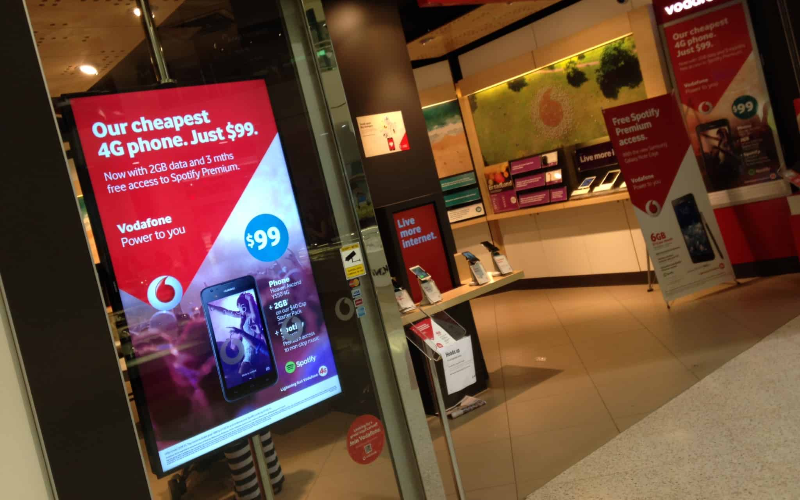
Smart signage has several benefits, the main one being the ability to quickly deliver important messages to many users. It can easily attract attention and allow quick, real-time updates. Unfortunately, smart signage requires regular content updates and does not allow user interaction.
Pros of Smart Signage
Smart signage can easily attract users’ attention. Most have easy-to-read and top-quality images and videos that capture users’ attention even in busy environments. The attractive images and interactive displays will engage new and old users in the kiosks, increasing engagement. It also helps to boost overall brand awareness.
The ability for smart signage to allow quick updates of content provides businesses with increased flexibility. You can easily make instant changes to content. Businesses can easily respond to new opportunities or challenges more effectively.
By allowing remote updates, smart signage is less costly than static displays. Traditional static displays require constant manual updates, which result in staff expenses and potential downtime. Expanding a smart signage kiosk network is far easier and cheaper than traditional ones.
Cons of Smart Signage
Smart signage requires regular, high-quality content updates that are not boring or irrelevant. Constant content updates keep staff engaged instead of doing other profitable tasks. The screen will show outdated or boring information, making it less effective in delivering the right message.
Smart signage only shows information, preventing users from giving input or choosing options. It doesn’t allow users to touch or control the screen. Smart signage is not ideal when users need to interact, like finding directions. It’s a one-way communication and might not hold the user’s attention well.
Smart signage can experience system issues such as software crashes, screen glitches, or internet connection issues. System breakdowns can cause smart signage to stop showing content until the repair is done. Fixing these issues can also take time and cost money. Power outages can also affect how well smart signage works.
Interactive Displays: Pros and Cons

While interactive signage has several benefits, such as allowing user interactions and hands-on experience, it also has a few disadvantages. Interactive displays are harder to maintain and costly. We explain the pros and cons of interactive displays.
Pros of Interactive Display
Interactive displays can allow multiple users to work on the screen simultaneously, increasing engagement. Interactive displays grab the attention and keep users involved, creating a more productive and collaborative environment.
Features like internet connectivity and compatibility with various software allow you to customize interactive displays to meet your needs. The flexibility of interactive displays allows users to get the information they need efficiently.
Interactive displays are fun to use as they allow users to actively swipe, touch, and write on the screen. They keep users focused and engaged, creating a more exciting experience. Users in schools can learn while those in the store can explore the products easily.
Cons of Interactive Display
Interactive displays have advanced touch technology and software, making them more expensive than regular screens. Businesses with several kiosks must invest a lot in installing and repairing the touch sensors and software breaks.
Moving parts, advanced software, and touch sensors make interactive displays harder to maintain. Interactive displays require regular updates to work well. Rough use, dust, and fingerprints can damage the screen, making cleaning harder and resulting in regular downtime.
Users who are not familiar with interactive displays might find them challenging. Different users might need training on how to use the touchscreen, tools, and apps. Training is time-consuming, which is a challenge for organizations with limited resources.
In most cases, power is necessary for an internet connection to work properly. Interactive displays are powerful and internet-dependent. The displays will stop working completely if there’s a power outage, which will also affect the internet. The online features become unusable, and the apps slow down.
Which Works Best for Your Business?

Interactive displays allow employees to interact and share ideas easily. They are ideal for office brainstorming sessions, meetings, and presentations. Smart signage is ideal for displaying company schedules or any other important information. Hence, interactive displays are a better choice if you need increased engagement in the office.
Teachers in schools can use interactive displays for interactive learning and activities. Students can touch, write, or explore the learning materials. While smart signage does not offer the same level of interactive learning, it helps display important information.
Customers in retail stores can use interactive displays to browse products or check information such as prices. Interactive displays work best for engaging customers. Smart signage is ideal if customer interaction is not necessary. It can display ads, promotions, and store updates.
In hotels and restaurants, guests can use interactive displays to view menus, place orders, or get information about services. They are ideal for improving customer experience and are efficient. However, smart signage is helpful for displaying promotions or even details in dining areas or lobbies. They don’t allow the same level of guest interaction.
Conclusion
Smart signage and interactive displays are becoming necessary for businesses looking to improve user experience. They help businesses to promote products and services while providing helpful information. The digital signage has captivating displays and custom content options, which are essential in marketing.
We’re ready to help you explore smart signage and interactive displays that perfectly match your needs at BestKiosk. Let us create a personalized, no-cost quote tailored specifically for your business. Contact us today to discover how our solutions can help you achieve your goals and enhance your operations!

Kitty Tan
Custom Kiosk Expert Consultant
Kitty is a kiosk expert at FlyXing. With extensive knowledge and experience in designing and manufacturing self-service kiosks, Kitty specializes in creating customized solutions to meet diverse industry needs.


