




Prescription dispenser
Table of Contents
Sign up to our newsletter
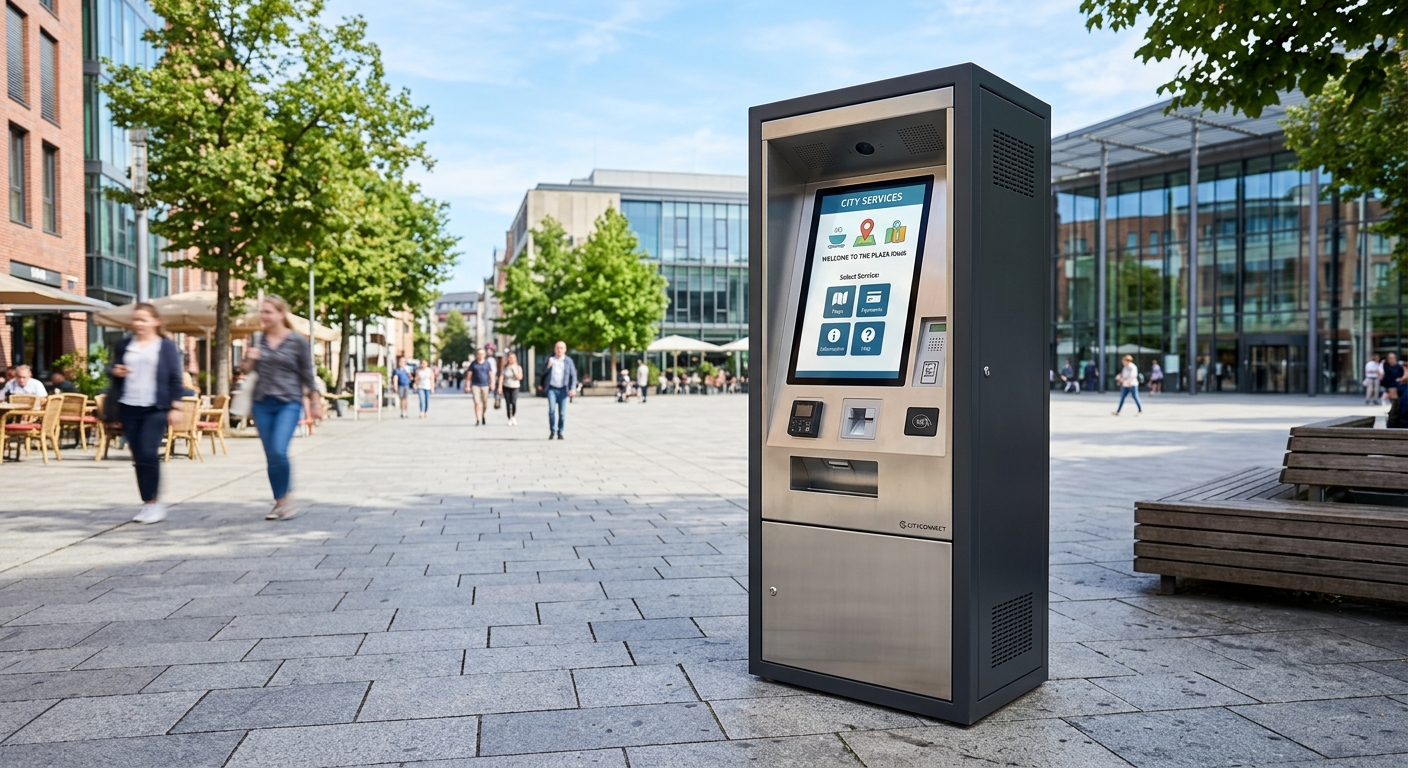
A well-designed outdoor kiosk enclosure has to solve three problems at once: keep water and dust out (IP65 or better), keep the screen readable in direct sunlight (2,000+ nits with optical bonding and anti-glare treatment), and resist physical attack (IK08–IK10 rated steel construction with tamper-proof fasteners). Get any one of those wrong and the kiosk either breaks, becomes unusable at noon, or turns into an expensive target. The rest of this article walks through exactly what specs to demand from your manufacturer — and why the cheap options nearly always cost more in the long run.
Decoding IP Ratings: What IP65, IP66, and IP67 Actually Mean Outdoors
The two digits after “IP” tell you everything. The first digit (0–6) is solid particle protection. The second (0–9) is liquid protection. For outdoor kiosks, the first digit should always be 6 — fully dust-tight. The second is where the engineering decisions live.
IP65 is the realistic baseline
IP65 protects against low-pressure water jets from any direction. That covers heavy rain, wind-driven spray, and routine cleaning. For 80% of outdoor deployments — sheltered courtyards, building entrances, drive-thru lanes — IP65 is the right spec.
When to push to IP66 or higher
IP66 handles powerful jets, which matters if the kiosk lives near coastal salt spray, gets pressure-washed, or sits in an exposed plaza with no overhang. IP67 (temporary immersion) is overkill for almost every kiosk and adds cost without real benefit — kiosks shouldn’t be sitting in puddles anyway.
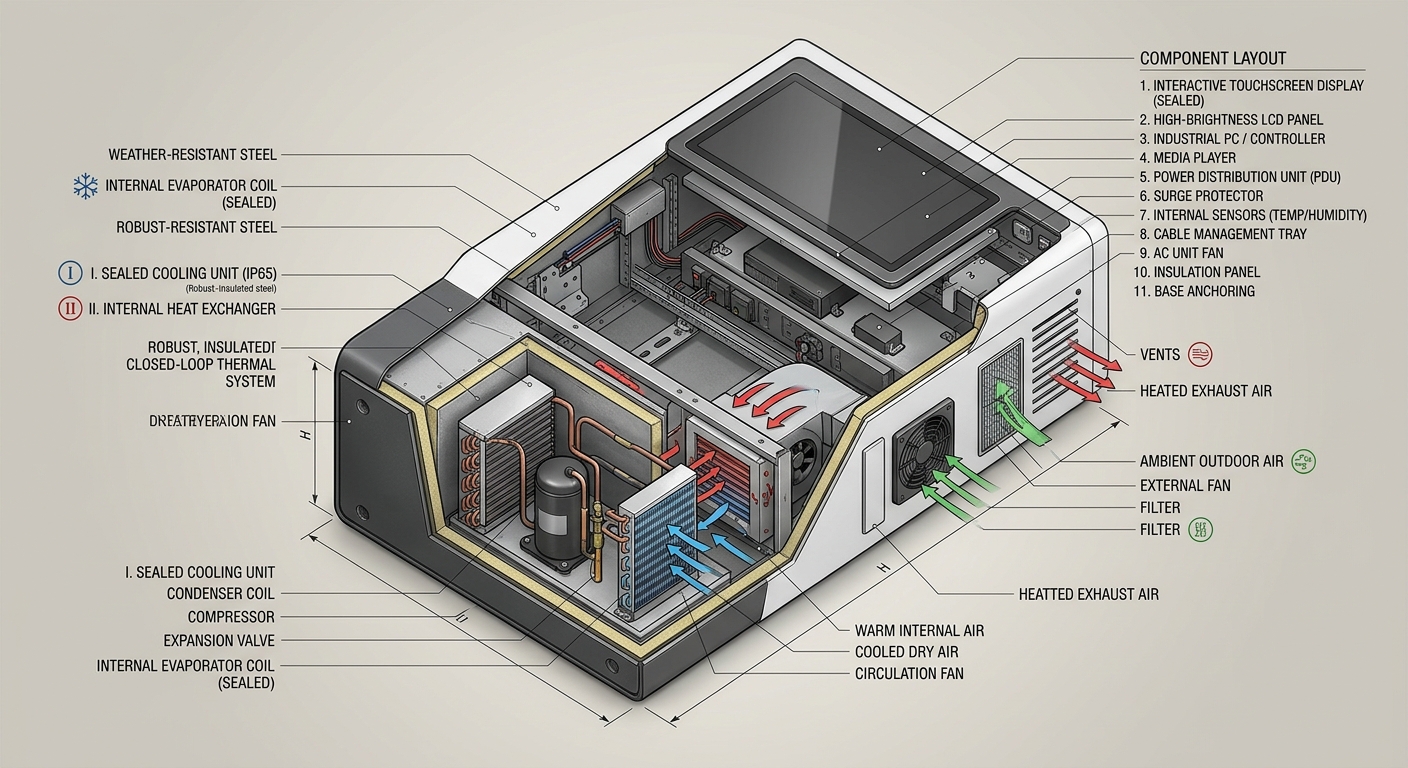
One caveat that catches buyers off guard: the IP rating applies to the sealed enclosure as a whole, but cable entry points, printer access doors, and card reader bezels are the weak links. Ask for the IP rating of the integrated unit, not just the metal box.
Sun Glare: Why a Bright Screen Alone Won’t Save You
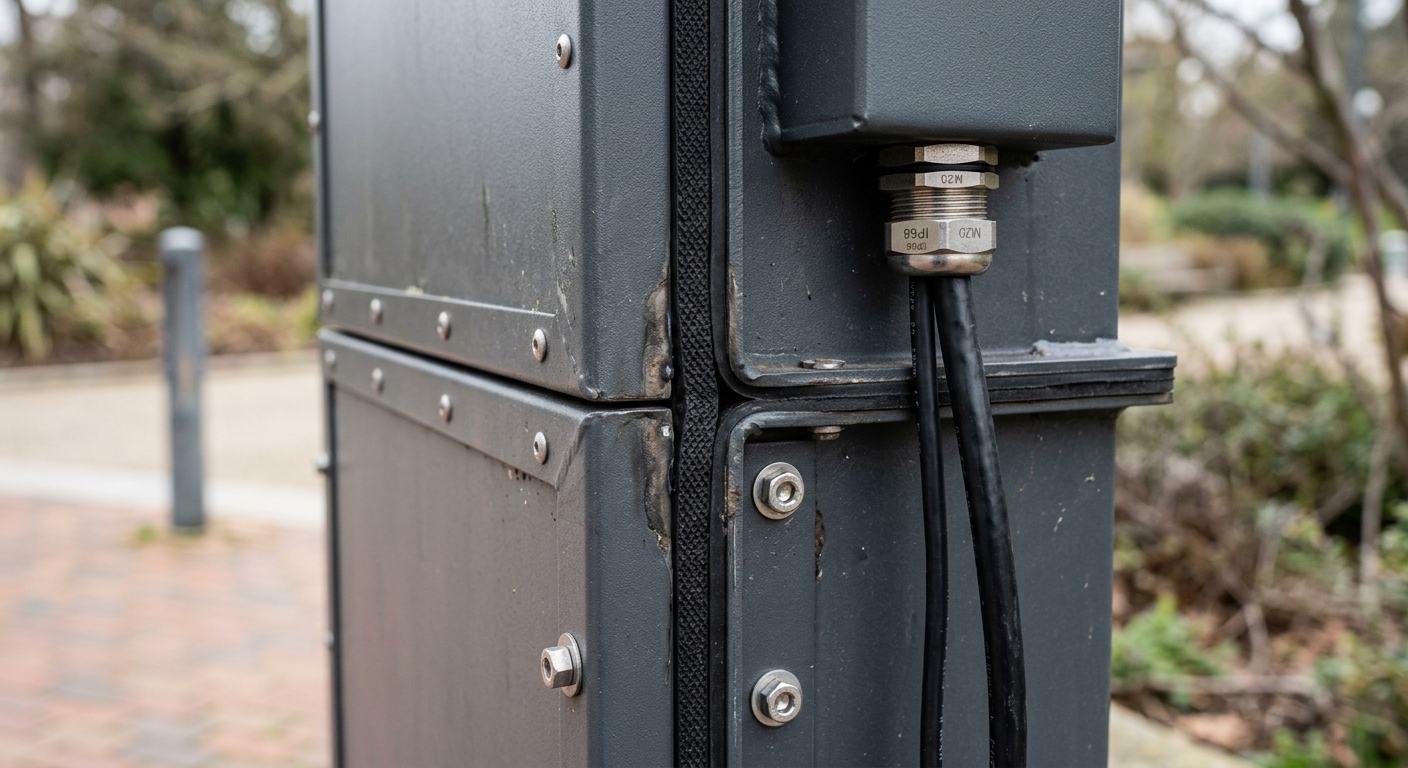
An indoor display runs at 250–400 nits. Step outside on a sunny day and ambient light hits 10,000 lux — your screen looks black. The fix isn’t just brightness. It’s a stack of three coordinated technologies.
High-brightness LCD (1,500–2,500 nits)
For shaded outdoor locations, 1,500 nits is usable. For direct sunlight, you want 2,500 nits with an automatic ambient light sensor that ramps brightness down at night (otherwise the kiosk blinds passers-by and burns power).
Optical bonding
Standard touchscreens have an air gap between the LCD and the cover glass. Sunlight bounces around in that gap and creates a milky haze. Optical bonding fills the gap with optically clear adhesive, cutting internal reflection by roughly 3–4x and improving contrast dramatically. It also stops condensation forming between the layers — a chronic issue in humid climates.
Anti-glare and anti-reflective coatings
AG (anti-glare) diffuses surface reflections. AR (anti-reflective) reduces them. The best outdoor screens combine both. For example, a ticketing kiosk installed at a beachfront ferry terminal we worked with started at 1,000 nits with no bonding — unreadable by 10 a.m. The retrofit to a 2,500-nit bonded panel with AG/AR coating made it legible even at solar noon, and complaints dropped to zero.
Touchscreen technology choice matters here too. Capacitive vs. infrared vs. SAW touchscreens behave very differently under sunlight, gloves, and rain.
Vandal Resistance: From IK08 to IK10 and Tamper-Proof Hardware
IK ratings measure impact resistance in joules. IK08 withstands a 5 kg weight dropped from 30 cm (5 joules). IK10 doubles that to 20 joules — roughly a hammer strike. For any unattended public-area kiosk, IK10 should be the default.
What actually achieves IK10
- Steel thickness: Cold-rolled steel at 1.5–2.0 mm for body panels, 3.0 mm for high-impact zones around the screen and payment area.
- Cover glass: 6 mm tempered glass, often chemically strengthened. Some specs add a PMMA backer layer for shatter containment.
- Tamper-proof fasteners: Pin-Torx or one-way security screws. No exposed Phillips heads.
- Concealed hinges and recessed locks: Anything you can grip with pliers is a liability.
The components people forget
The screen survives the hammer — then someone snaps off the card reader or shoves chewing gum into the receipt slot. Vandal resistance is a system, not a panel rating. Specify recessed peripherals, brushed stainless bezels around all openings, and a printer presenter that retracts paper if not collected within 30 seconds.
Thermal Design: The Silent Killer of Outdoor Kiosks
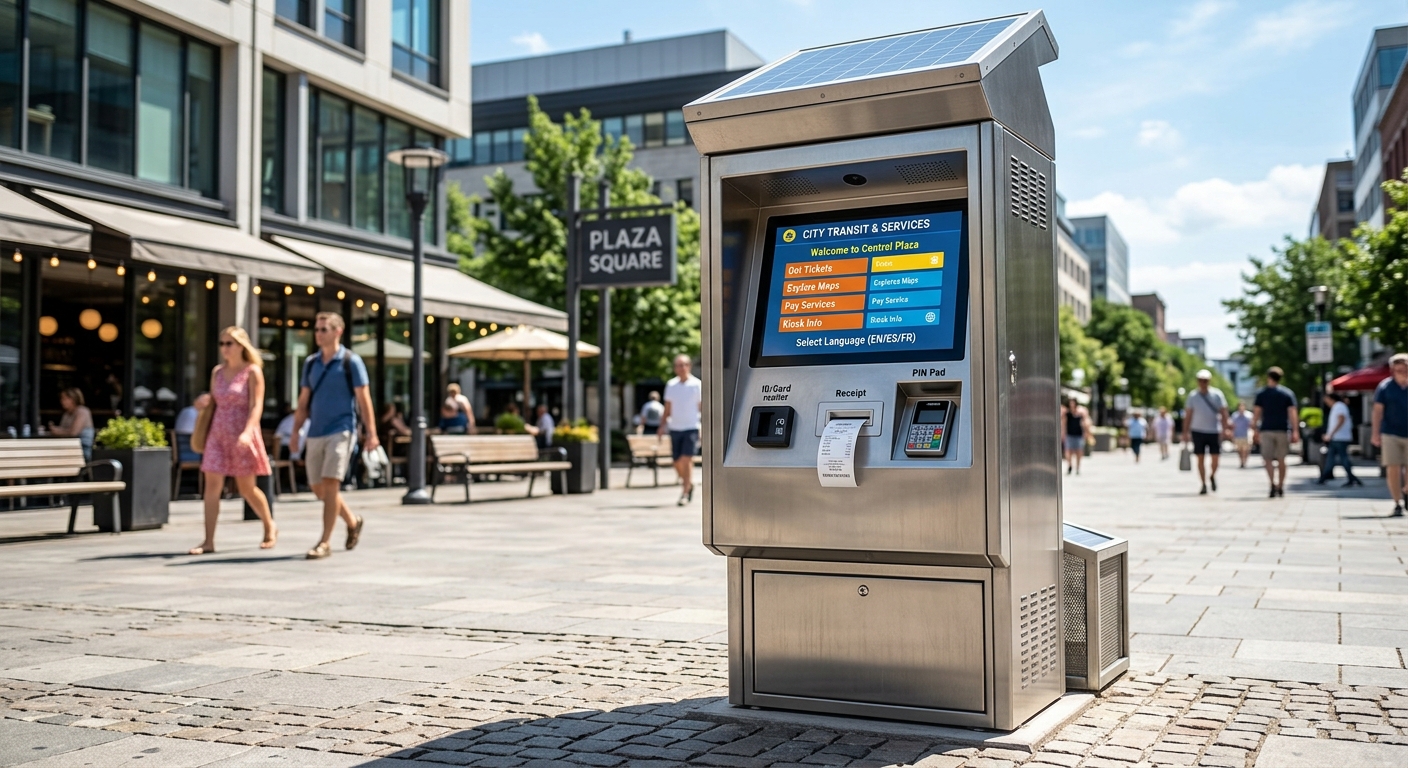
Most outdoor kiosk failures aren’t from rain or vandals — they’re from heat. A sealed IP65 box sitting in 35°C sun easily hits 70°C internally, well above the operating limit of most industrial PCs and LCD panels.
Active vs. passive cooling
Passive cooling (heat sinks, convection vents with labyrinth seals) works up to about 30°C ambient. Beyond that, you need active cooling: an internal air conditioner or a sealed heat exchanger. Standard fans pulling outside air are a mistake — they pull in dust, pollen, and humidity, defeating your IP rating within months.
The other direction: cold climates
Below freezing, LCDs slow down and lithium batteries in UPS units lose capacity. A thermostat-controlled internal heater (50–150W) keeps the cabinet above 5°C. For deployments spanning -20°C to +45°C — northern European parking lots, for example — you need both heating and cooling integrated with smart thermal management.
Material and Finish Choices That Affect Lifespan
Cold-rolled steel with powder coating is the industry standard for good reason: strong, repairable, and economical. But context matters.
When to upgrade to stainless
Within 5 km of saltwater, switch to 304 or 316 stainless steel. Powder-coated mild steel will show rust bloom around fastener heads within 18 months in coastal air, even with good prep. 316 stainless is the right choice for direct salt-spray zones — marinas, ferry terminals, beachfront ticketing.
Powder coat specs that matter
Ask for a polyester powder coat at 80–120 micron thickness with a salt-spray rating of 500+ hours per ASTM B117. Cheaper coatings test at 200 hours and chalk within two summers. UV-stable pigments matter too — non-UV-rated coatings fade noticeably in 12–18 months under direct sun.
Cover glass and gasket materials
EPDM gaskets outlast silicone in UV exposure. Polycarbonate is impact-resistant but yellows over time; tempered glass stays clear. For a 7-year deployment life, the combination is tempered glass + EPDM + 316 stainless or 100-micron polyester powder coat over zinc-primed steel.
Mounting, Cable Management, and Service Access
An enclosure that can’t be serviced gets replaced instead of repaired. That’s a procurement disaster waiting to happen.
Floor-mount vs. pedestal vs. wall
Floor-mounted units with concrete anchors are the most stable for high-traffic outdoor zones. Pedestal mounts work for lighter-duty information kiosks. Wall mounts are tempting but rare outdoors — vibration and weather sealing at the wall interface become problems. For a deeper look at form factor trade-offs, see wall-mounted vs. countertop kiosk designs.
Cable entry done right
Use IP68-rated cable glands sized correctly for the cable diameter — oversized glands don’t seal. Bring power and data up through the base, never through a side panel. Leave a service loop of 30 cm inside the cabinet for future swaps.
Service door design
Rear-access doors with gas struts and a single tamper-proof lock cut maintenance time dramatically. A technician should be able to swap a printer or thermal receipt module in under 10 minutes without removing the unit from its mount. For high-volume deployments, that difference compounds into real money — something our QSR rollout case study illustrates on the operations side.
Real-World Example: Parking Kiosk in a Mixed Climate
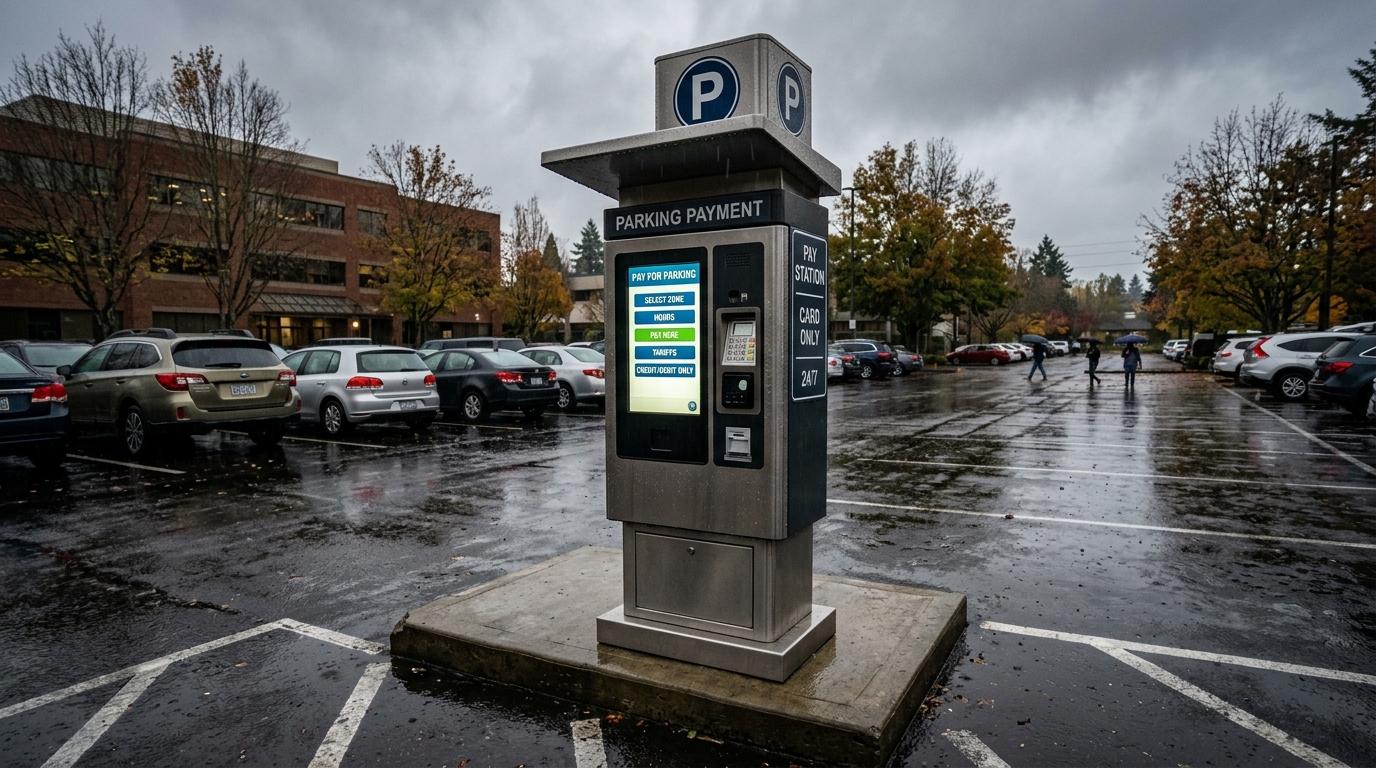
A municipal parking operator needed 40 outdoor payment kiosks across a city with -15°C winters and 38°C summers, plus heavy salt-based de-icing in winter. The original spec was IP54, 1,000-nit display, mild steel, basic powder coat. Within two years, 12 units had corrosion at the base, 8 had display failures from thermal stress, and customer complaints about screen visibility were constant.
The replacement spec: IP66, 2,500-nit optically bonded display with AG/AR coating, 316 stainless lower section with powder-coated upper, integrated heater + heat exchanger, IK10 cover glass, tamper-proof Pin-Torx hardware throughout. Capex went up roughly 28%. Five-year total cost of ownership dropped by 41% once reduced maintenance, fewer truck rolls, and lower failure rates were included.
The lesson: cheap enclosures aren’t cheap. They just move the cost from procurement to operations. For more on the parking-specific decisions, see our guide to parking lot kiosks.
A Practical Spec Checklist Before You Sign the PO
Use this as a baseline when reviewing manufacturer datasheets. If a vendor pushes back on any of these, that’s useful information.
- Ingress protection: IP65 minimum for the integrated unit, IP66 for coastal or exposed sites.
- Impact resistance: IK10 cover glass, IK08 minimum for body panels.
- Display: 2,000+ nits, optical bonding, AG + AR coating, automatic brightness control.
- Operating temperature: -20°C to +50°C with active thermal management.
- Materials: 316 stainless for coastal; powder-coated steel ≥100 micron elsewhere.
- Security: Tamper-proof fasteners, recessed peripherals, concealed hinges, multi-point locking on service doors.
- Serviceability: Rear access, modular peripherals, <10-minute swap time for printer and reader.
- Certifications: CE, FCC, and where applicable EN 50155 for transport hubs or PCI PTS for payment.
Outdoor kiosks live a hard life. The enclosure is the part of the project you can’t easily upgrade later — get it right at the design stage. If you’re planning a deployment and want help matching enclosure spec to the actual site conditions, the team at bestkiosk can walk through your environment, traffic profile, and service model before you commit to a build. The 2026 buying guide covers the broader procurement picture if you’re still at the early-evaluation stage.

Kitty Tan
Custom Kiosk Expert Consultant
Kitty is a kiosk expert at FlyXing. With extensive knowledge and experience in designing and manufacturing self-service kiosks, Kitty specializes in creating customized solutions to meet diverse industry needs.
